
Back to Support
How to Provide Access to Your Facebook Ad Account
Grant SiteMeUp access to your Facebook Ad Account so we can manage your campaigns.
1
Log into Facebook Business Manager
Log into your Meta Business Manager at https://business.facebook.com.
2
Go to Business Settings
Click the Settings icon (cog) in the left-hand menu, or navigate directly to https://business.facebook.com/settings/.
3
Open Ad Accounts
In the left menu, under Accounts, click Ad Accounts.
4
Select Your Ad Account
Click on the Ad Account you want to share with SiteMeUp.
5
Add a Partner
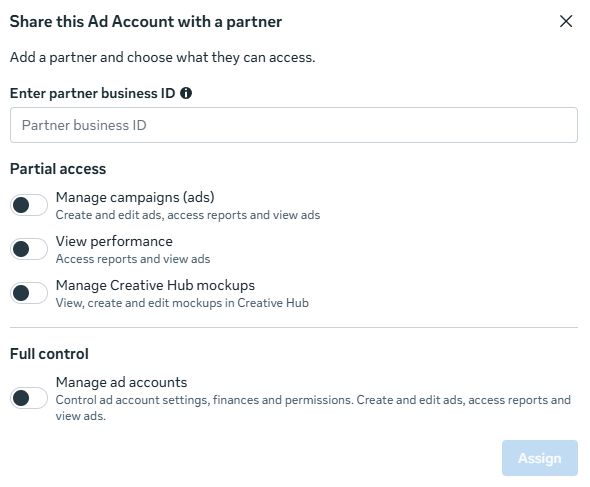
Click Add People, then select Assign Partner. When prompted, select Business Manager ID and enter our ID below.
Our Business Manager ID
101552588864600786
Set Permissions
Assign the Advertiser role so SiteMeUp can manage and run campaigns on your behalf. Click Confirm.
7
Notify Us
Email us at accounts@sitemeup.co.za so we can confirm access on our side.