
Back to Support



How to Provide Access to Google Analytics
Grant SiteMeUp access to your Google Analytics property for reporting and tracking.
1
Log into Google Analytics
Go to https://analytics.google.com and log into your account.
2
Open Admin
Click on Admin (bottom-left corner).
3
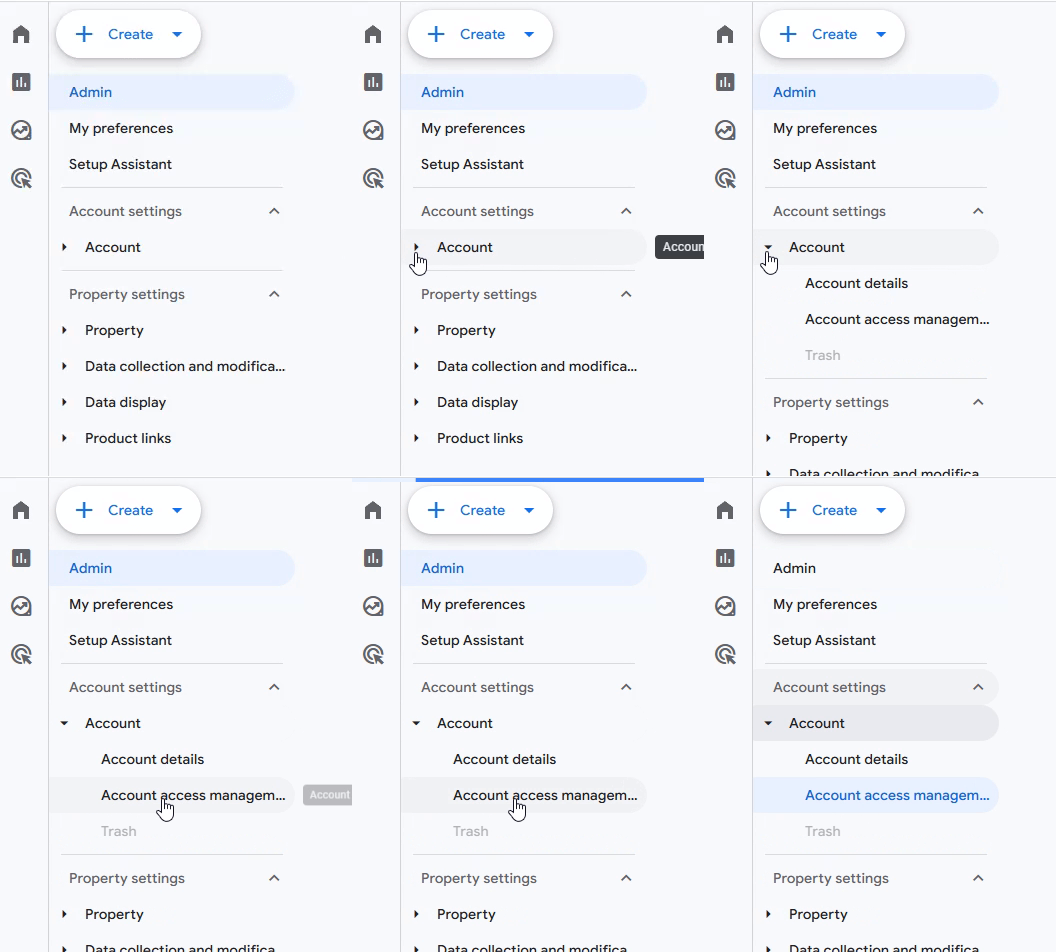
Account Access Management
Click Account -> Account Access Management.
4
Add Users
Click the blue + button in the top right > Add users.
5
Enter email and select role
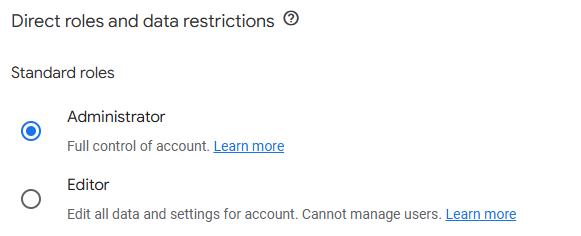
Enter adwords@sitemeup.co.za and select Administrator access.
6
Confirm
Click Add to confirm.