
Back to Support

How to Provide Access to Google My Business (Business Profile)
Grant SiteMeUp access to your Google Business Profile for local SEO management.
1
Log into Google Business
Go to https://business.google.com/locations and sign in.
2
Select your location
Select the location (if multiple) you'd like to provide access to, and click See your Profile.
3
Business Profile Settings
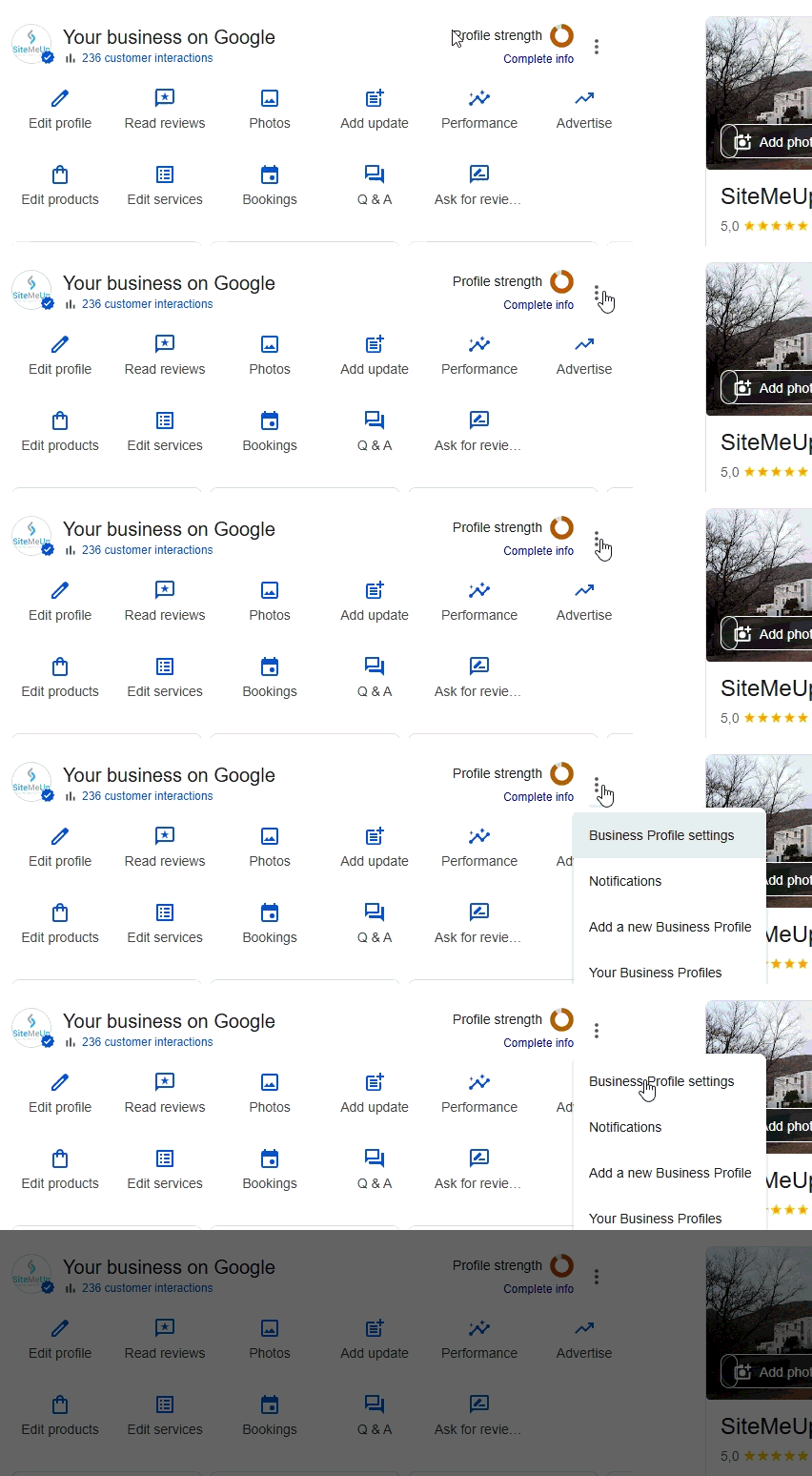
Click the 3 dot Menu icon and select Business Profile Settings.
4
Add user
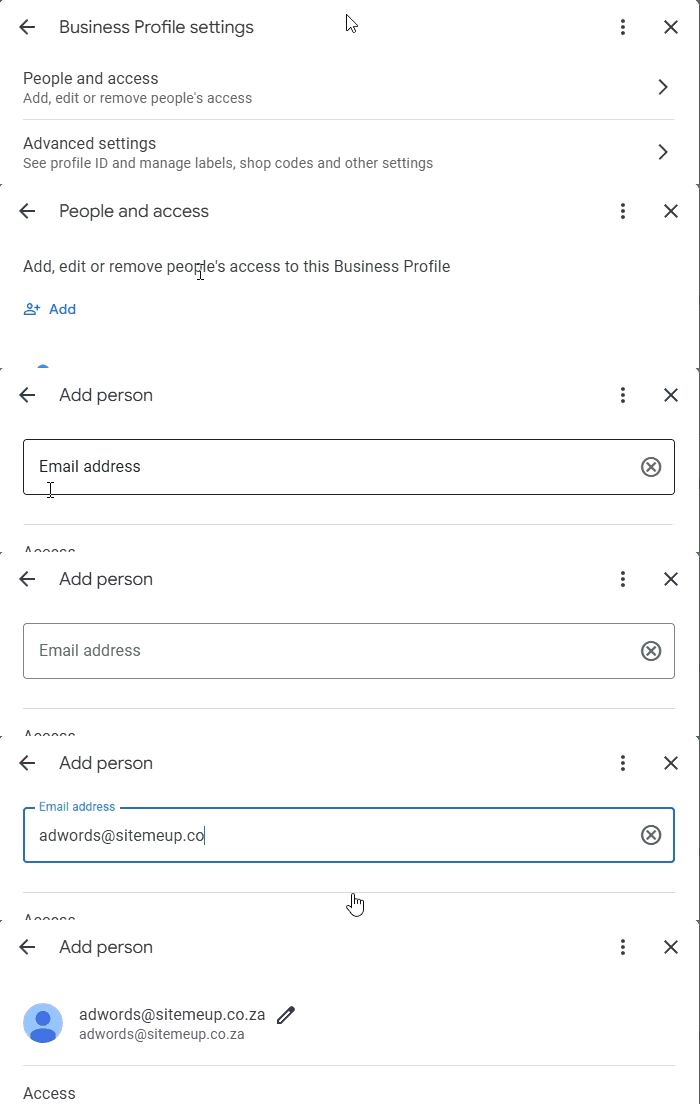
Select People and Access, click the + Add icon and add the email address adwords@sitemeup.co.za, then click Invite (bottom right).