
Back to Support

How to Provide Access to Google Tag Manager
Grant SiteMeUp access to your Google Tag Manager container for tag deployment.
1
Log into Google Tag Manager
Go to https://tagmanager.google.com and log into your account.
2
Open Settings
Click on the Cog Icon (top right).
3
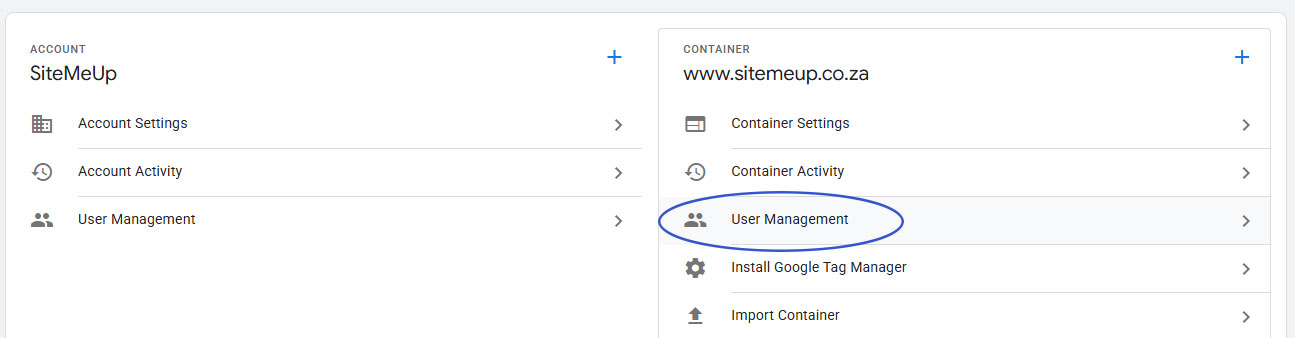
User Management
In the Container column (right), click User Management.
4
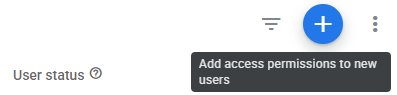
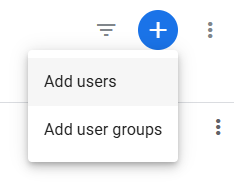
Add Users
Click the blue + button (top right) and select Add Users.
5
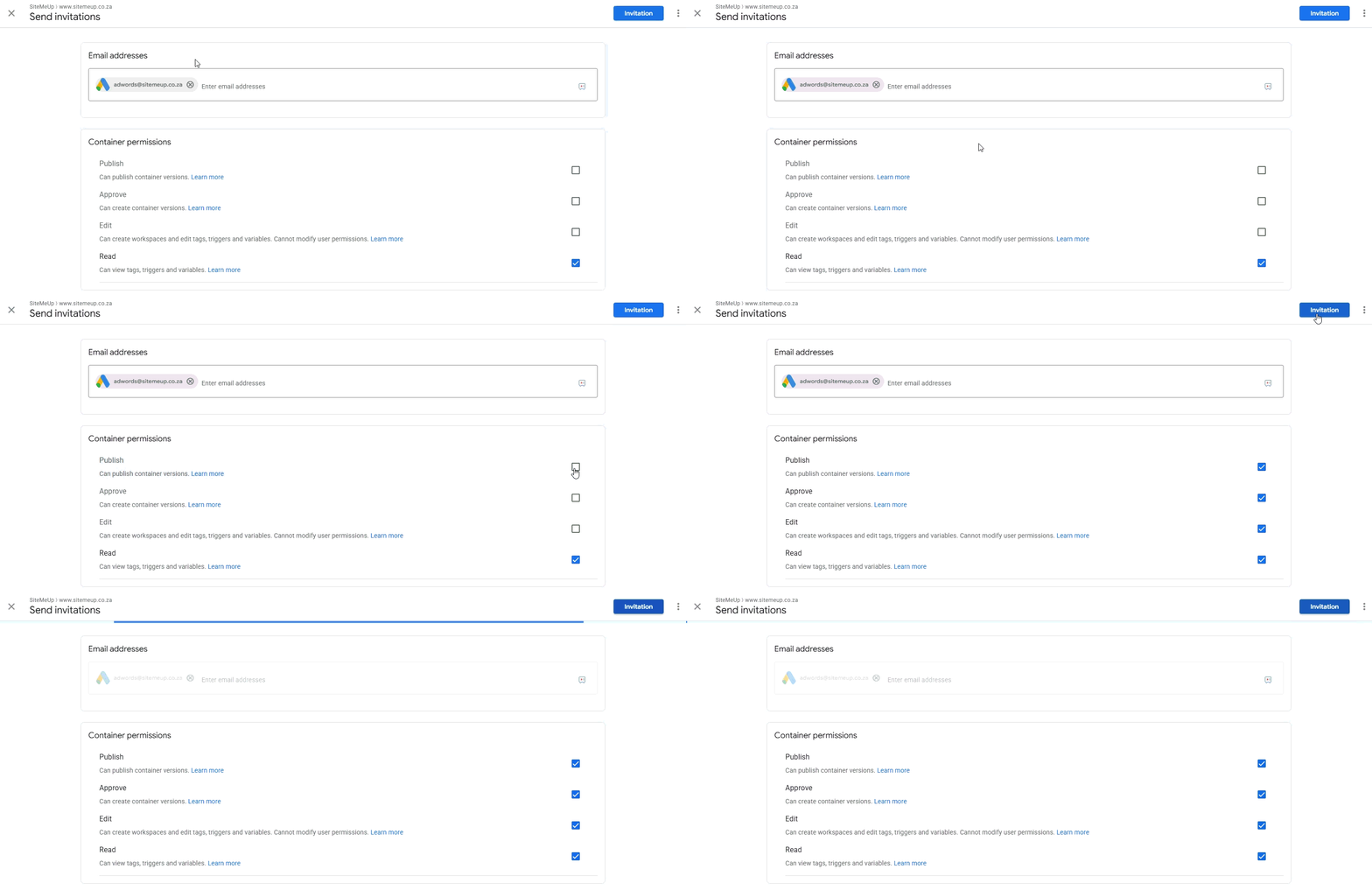
Enter email and grant permissions
Enter adwords@sitemeup.co.za, grant Publish container permission and select Invitation (top right).