
Back to Support
How to Provide Access to Your LinkedIn Ad Account
Grant SiteMeUp access to your LinkedIn Ad Account so we can manage your campaigns.
1
Log into LinkedIn
Log into your LinkedIn account at https://www.linkedin.com.
2
Go to Business Manager
Navigate to your LinkedIn Business Manager at https://www.linkedin.com/marketing/businessmanager/accounts/. If you do not have a Business Manager account yet, create one at https://www.linkedin.com/businessmanager/create.
3
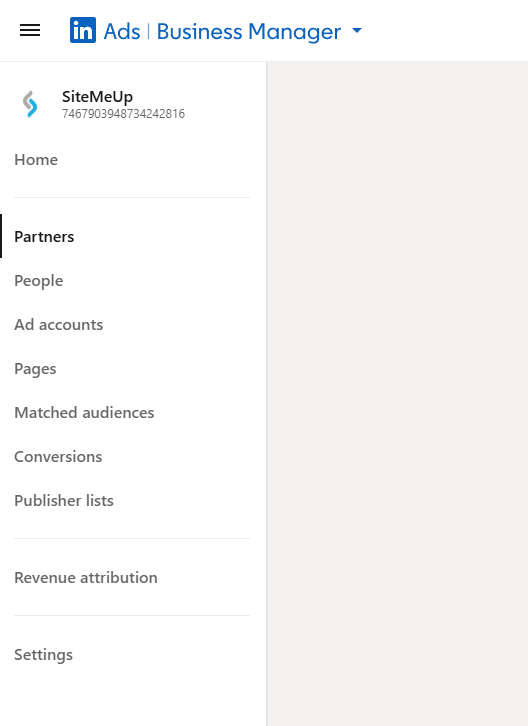
Open the Partners Section
Once inside Business Manager, click Partners in the left-hand menu.
4
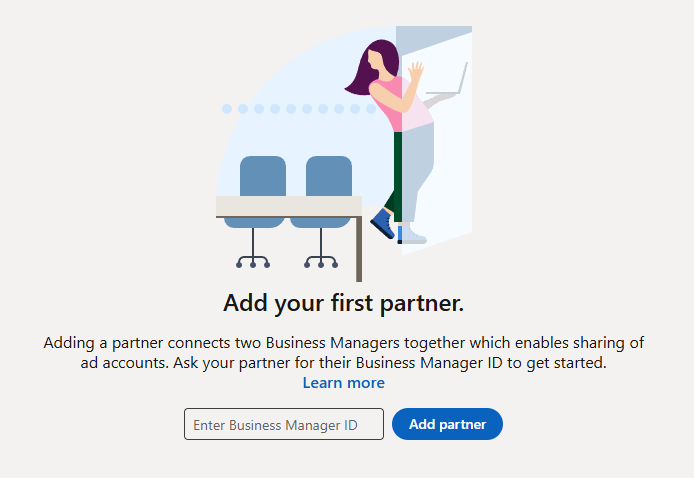
Add SiteMeUp as a Partner
Click Add Partner and enter our Business Manager ID in the field provided, then click Add Partner to confirm.
Our Business Manager ID
74679039487342428165
Notify Us
Email us at accounts@sitemeup.co.za so we can confirm access on our side.