
Back to Support

How to Provide Access to YouTube Channel
Grant SiteMeUp access to your YouTube channel for video management.
1
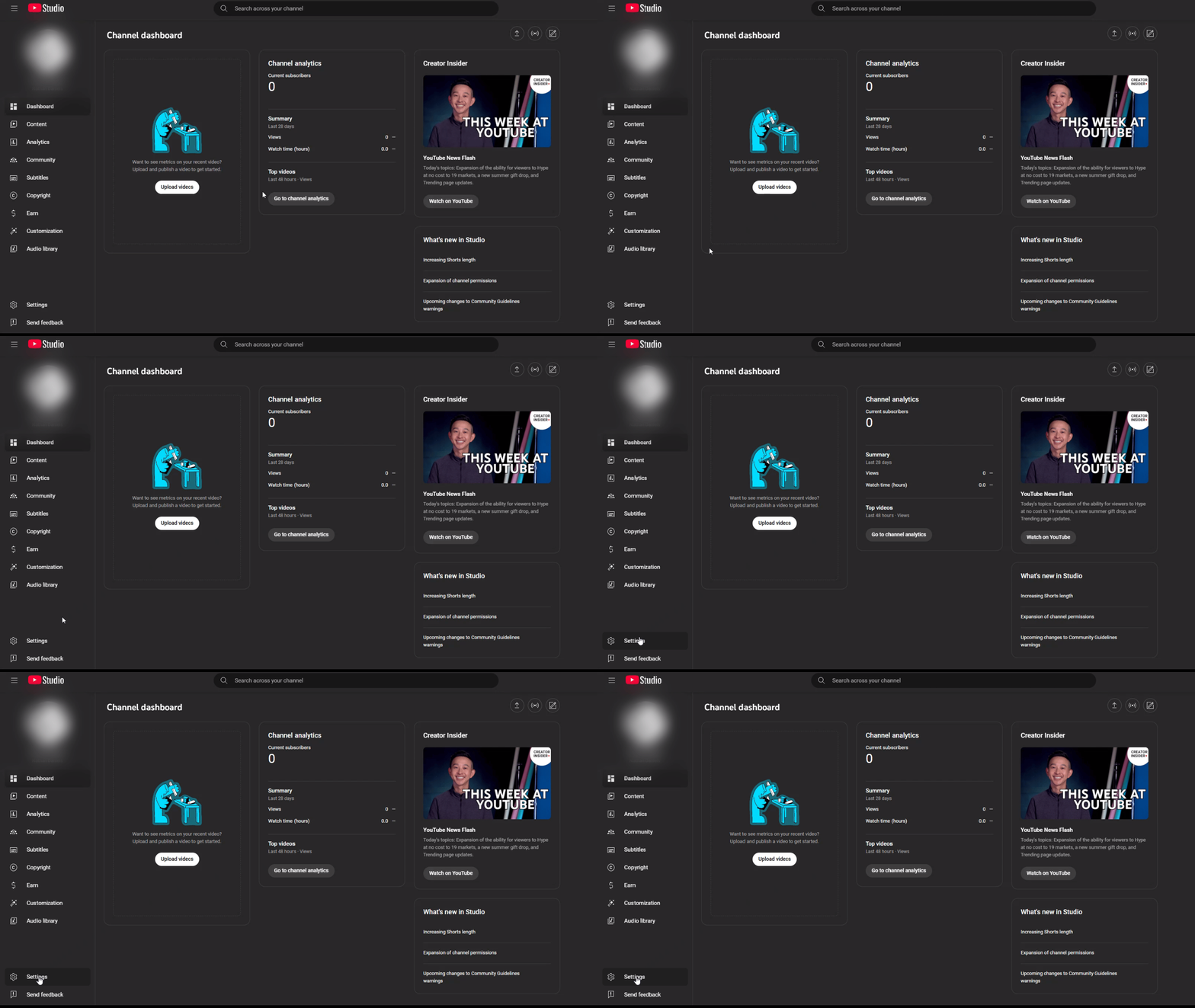
Log into YouTube Studio
Go to https://studio.youtube.com and sign in.
2
Open Settings
Click Settings on the left sidebar.
3
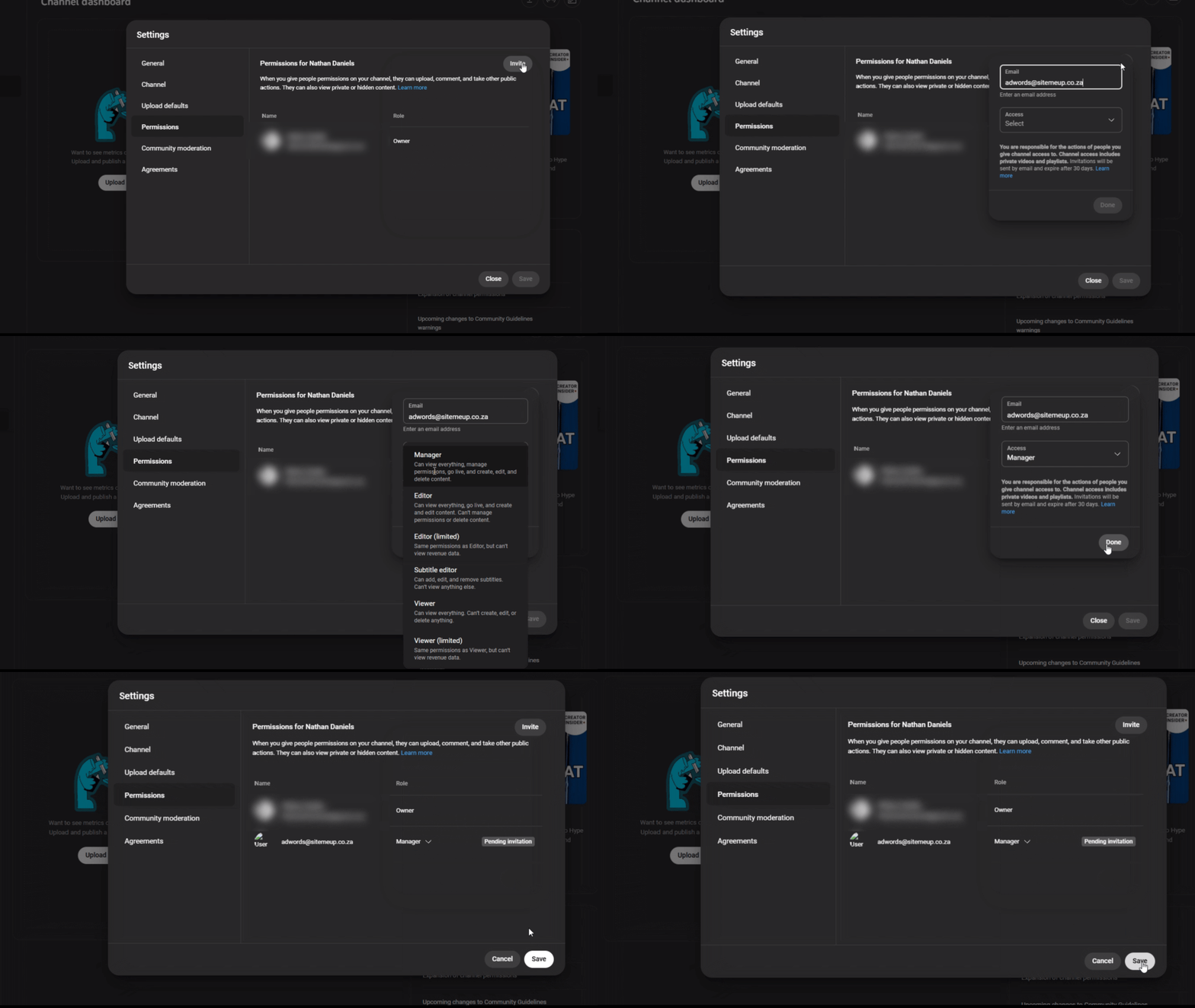
Permissions
Click Permissions > Invite.
4
Enter email
Enter adwords@sitemeup.co.za.
5
Choose role
Choose the role Manager or Editor (limited) depending on need.
6
Save
Click Done and then Save.